
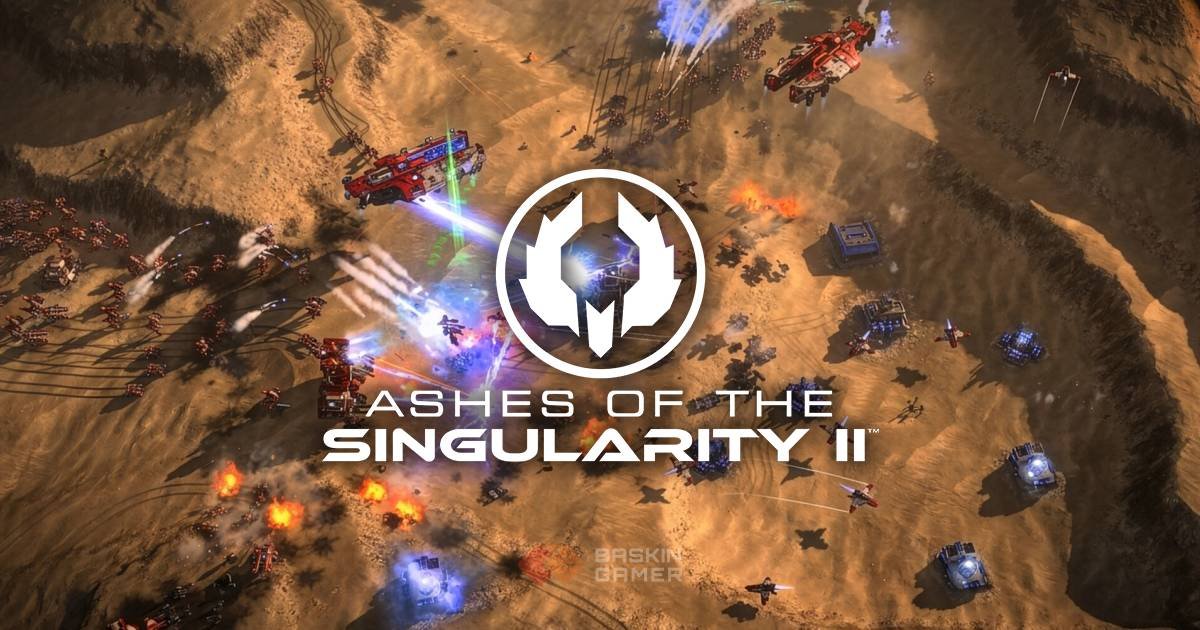
Your first battle in Ashes of the Singularity II might look like a normal real-time strategy match. Then you zoom out.
The battlefield keeps expanding. Armies stretch across enormous areas, enemy positions appear in the distance, and suddenly the units you were watching are only a small part of a much larger conflict.
That is where this RTS starts to feel different.
Developed by Oxide Games and published by Stardock Entertainment, Ashes of the Singularity II launches on PC through Steam on November 10, 2026. It puts players in command of thousands of units across continent-sized battlefields, with three factions fighting over the future of humanity and the solar system.
For newcomers, the biggest adjustment isn’t learning how to build an army. It is understanding where that army needs to go, what it should accomplish and how to manage a war happening across several fronts.
Here is what you should understand before your first match.
Quick Summary
- Release: November 10, 2026, on PC through Steam.
- Developer: Oxide Games.
- Publisher: Stardock Entertainment.
- Playable factions: United Earth Forces (UEF), Post-Human Coalition (PHC) and AI Substrate.
- Strategic Zoom: Move between a broad battlefield view and frontline combat.
- Game modes: Single-player campaign, Instant Action, online PvP and co-op.
- Multiplayer: Supports up to eight players at launch.
- Beginner recommendation: Start with the UEF campaign to learn the game’s systems gradually.
1. What Is Ashes of the Singularity II?
Ashes of the Singularity II is a large-scale real-time strategy game built around controlling territory and coordinating enormous armies.
Traditional RTS games often ask you to manage a base, collect resources, produce units and defeat an opponent. Those ideas are still relevant here, but the scale changes how you approach them.
You aren’t simply sending a small group of soldiers towards an enemy base. Battles can involve thousands of units moving across enormous maps, with multiple armies operating in different locations.
The game also puts less emphasis on constant clicking and individual unit micromanagement. Its design focuses on planning, logistics, positioning and deciding where your forces can make the greatest difference.
That makes it particularly interesting for players who enjoy thinking like a battlefield commander rather than controlling every soldier individually.
2. Understanding the Three Factions
Your faction choice affects more than the appearance of your units. Each side represents a different approach to warfare, with its own units, strengths and strategic identity.
United Earth Forces (UEF)
The United Earth Forces represent humanity’s remaining conventional military power.
Earth’s nations have united because the threats facing humanity have become too powerful for individual governments to handle. Compared with its opponents, the UEF is technologically disadvantaged, so it relies on large armies, disciplined infantry and established military tactics.
Stardock describes the faction around conventional military strength and numbers.
What beginners should understand: UEF is a useful starting point for learning the battlefield’s large-army structure. Its role in the single-player campaign also makes it the natural first faction to explore.
Post-Human Coalition (PHC)
The Post-Human Coalition represents humanity after abandoning its traditional physical form.
Its members have embraced advanced technology and become one of the most technologically powerful forces in the conflict.
The faction’s military approach differs from the UEF. Its units are generally more expensive and powerful, rather than relying on the same kind of large infantry formations.
What beginners should understand: Think about the value of individual units and how you commit your forces. Losing expensive units without a clear purpose can be costly.
AI Substrate
The AI Substrate is a machine civilisation created by a rogue artificial intelligence known as Haalee.
Its objectives are not aligned with humanity’s survival. The faction brings another distinct approach to warfare, including greater access to drone swarms.
These drones behave differently from conventional infantry. They are closer to autonomous projectiles than individual soldiers.
What beginners should understand: Don’t assume the Substrate will behave like a conventional human army. Its identity is built around machine forces and a different relationship with battlefield units.
3. Which Faction Should Beginners Try First?
If this is your first experience with the series, start with the United Earth Forces campaign.
There is a practical reason.
The campaign follows humanity’s perspective, and its tutorial introduces the game’s mechanics as you progress. Instead of forcing new players to learn every system before starting, it brings those ideas into the experience gradually.
That gives you time to understand army management, movement, production and the wider conflict.
Once you have a better understanding of the battlefield, try the PHC and Substrate in Instant Action.
Don’t treat the UEF as the objectively easiest faction, though. There is not enough launch-day evidence to establish a definitive beginner ranking across all three.
The better approach is to learn one faction’s structure before comparing the others.
4. Learn Strategic Zoom Before Building Huge Armies
Strategic Zoom is one of the most important features to understand.
The game lets you move between a broad view of the battlefield and closer front-line perspectives. At one moment, you can examine how your forces are distributed across a large area. A moment later, you can focus on a particular engagement.
This matters because a battle can develop in several locations at once.
Staying zoomed in makes it easy to lose track of what is happening elsewhere. Remaining zoomed out all the time can make individual engagements harder to understand.
A useful habit is to move between both views regularly.
Check the wider map to understand where your armies are needed. Then move closer when you need to inspect a specific battle or issue orders.
You are not expected to watch every unit. You need to understand what each army is doing.
5. Logistics Matter More Than Simply Producing Units
A large army looks impressive, but numbers alone don’t guarantee victory.
Ashes of the Singularity II places considerable importance on logistics and getting forces and materials into the right places at the right time.
The developer also highlights moving production buildings to important locations and maintaining pressure along the front-line.
For beginners, this means looking beyond the number of units currently available.
Ask yourself:
- Where are your forces operating?
- Which parts of the battlefield need reinforcement?
- Are your production facilities positioned where they can support the fighting?
- Are you committing resources to an area that actually matters?
The exact value of each decision will depend on the map and the match. Avoid copying a fixed resource strategy before understanding the situation.
A useful principle is to connect production with your intended battlefield objectives.
6. Don’t Try to Control Every Army at Once
Thousands of units create a management problem of their own.
If you attempt to monitor every movement individually, you can lose sight of the larger battle.
Fortunately, the game includes systems designed to reduce repetitive management. Armies can automatically replenish their units and have replacements rally towards the army.
This means you can focus more attention on the army’s destination and purpose rather than repeatedly handling every replacement.
For your first matches, give each army a clear objective.
One group might need to hold an important position. Another may be moving towards a contested area. A third could be preparing to reinforce a developing battle.
These are organisational suggestions, not fixed formations or guaranteed winning tactics.
The important thing is to avoid sending everything towards the same target without considering what happens elsewhere.
7. Terrain Can Change the Entire Battle
The battlefield is not just an empty surface for armies to cross.
Stardock highlights environments including frozen lakes, mountain passes and lava-filled areas. The game also features terrain that can change as battles progress, including structures being destroyed and areas transforming into or from Turinium.
That gives the environment a more active role in warfare.
Before committing an entire army to a route, look at the surrounding terrain. A narrow mountain pass, for example, creates a different situation from an open battlefield.
Likewise, the condition of an area can change as fighting continues.
Don’t assume that the route you used earlier will always offer the same opportunities later.
Pay attention to the map, watch how the battlefield develops and adjust your plans when necessary.
8. Campaign or Instant Action: Where Should You Start?
Both modes offer useful ways to learn the game, but they serve different purposes.
| Mode | What it offers | Best for |
|---|---|---|
| Campaign | UEF-focused story with mechanics introduced progressively | First-time players |
| Instant Action | Battles against computer-controlled opponents | Practising factions and strategies |
| Multiplayer | Online competitive matches and co-op | Playing with or against others |
Start with Campaign if you want a structured introduction. Its tutorial is integrated into the story rather than separated into a completely different training experience.
Move to Instant Action when you want to experiment without following campaign objectives. It supports computer-controlled opponents and procedurally generated maps.
Multiplayer is another option once you’re comfortable with the basic systems.
The game supports online PvP and co-op, with up to eight players at launch. You can also play mixed human and AI matches.
9. Beginner Mistakes to Avoid
A few habits can make your first battles unnecessarily difficult.
1. Staying zoomed in for too long
You might win an engagement while another part of your territory comes under pressure. Check the wider battlefield regularly.
2. Producing units without a plan
More units are not automatically more useful. Think about where your army needs to operate before expanding production.
3. Ignoring the other factions
UEF, PHC and Substrate have different military identities. Learn what makes your opponent different rather than assuming every faction works the same way.
4. Treating every battle as the main battle
Large maps create several competing objectives. Decide which areas deserve your attention instead of spreading your forces without purpose.
5. Jumping into competitive multiplayer too early
There is no need to learn every system against experienced opponents. Use the campaign and Instant Action to become comfortable first.
10. Ashes of the Singularity II PC System Requirements
Before starting, check whether your PC meets the game’s official Steam requirements.
| Component | Minimum | Recommended |
|---|---|---|
| Processor | Ryzen 5 2400G / Intel i5-8500 | Ryzen 5 5600X / Intel i5-11600K |
| RAM | 8 GB | 16 GB |
| Graphics | RX 580 8GB / GTX 1660 6GB | RX 6750 XT 8GB / RTX 3070 8GB |
| Storage | 50 GB | 50 GB |
| Operating System | Windows 10/11 64-bit | Windows 10/11 64-bit |
| DirectX | Version 12 | Version 12 |
An SSD is recommended.
The minimum specifications describe the hardware needed to run the game, while the recommended configuration provides a stronger starting point. Since battles can involve thousands of units, performance may also depend on the scale of the match and what is happening across the battlefield.
11. Your First-Battle Preparation Checklist
Before starting your first match, keep these priorities in mind:
- Begin with the UEF campaign.
- Learn how Strategic Zoom changes your view of the battlefield.
- Understand how armies are organised and replenished.
- Pay attention to production and logistics.
- Look at the terrain before committing forces.
- Give different armies separate objectives.
- Try Instant Action before moving into competitive multiplayer.
- Experiment with the other factions once the basic systems make sense.
You don’t need to master every mechanic before your first battle. Understanding the relationship between territory, armies and logistics is a much better starting point.
Final Thoughts
Ashes of the Singularity II is built around a type of RTS challenge that becomes more interesting as the battlefield grows.
The difficulty isn’t simply producing enough units. It is deciding where they belong, how they should support one another and which parts of a huge battlefield deserve your attention.
Start with the UEF campaign, become comfortable with Strategic Zoom and resist the temptation to manage everything at once.
Once those ideas click, the differences between the three factions and the possibilities of larger battles become much easier to understand.
The first victory is worth celebrating. Learning how to control an entire battlefield is the real achievement.
FAQ
Is Ashes of the Singularity II beginner-friendly?
It has a campaign-integrated tutorial that introduces mechanics progressively. However, the large battlefields and strategic systems still require time to understand.
How many factions are in Ashes of the Singularity II?
There are three playable factions: United Earth Forces, Post-Human Coalition and AI Substrate.
Which faction should beginners choose?
The UEF campaign is the recommended starting point because it introduces the game through a structured single-player experience.
What is Strategic Zoom?
Strategic Zoom lets players move between a broad battlefield perspective and closer front-line views, helping them manage large armies across enormous maps.
Does Ashes of the Singularity II have multiplayer?
Yes. It supports online PvP and cooperative multiplayer, with up to eight players at launch.
Can you play Ashes of the Singularity II offline?
Yes. The campaign and Instant Action against AI opponents support offline play.
How much storage does Ashes of the Singularity II require?
The official PC requirements list 50 GB of available storage, with an SSD recommended.
Does Ashes of the Singularity II support procedural maps?
Yes. Procedurally generated maps are supported for offline skirmishes and online multiplayer, alongside prebuilt maps.